Start a trip like clocking in
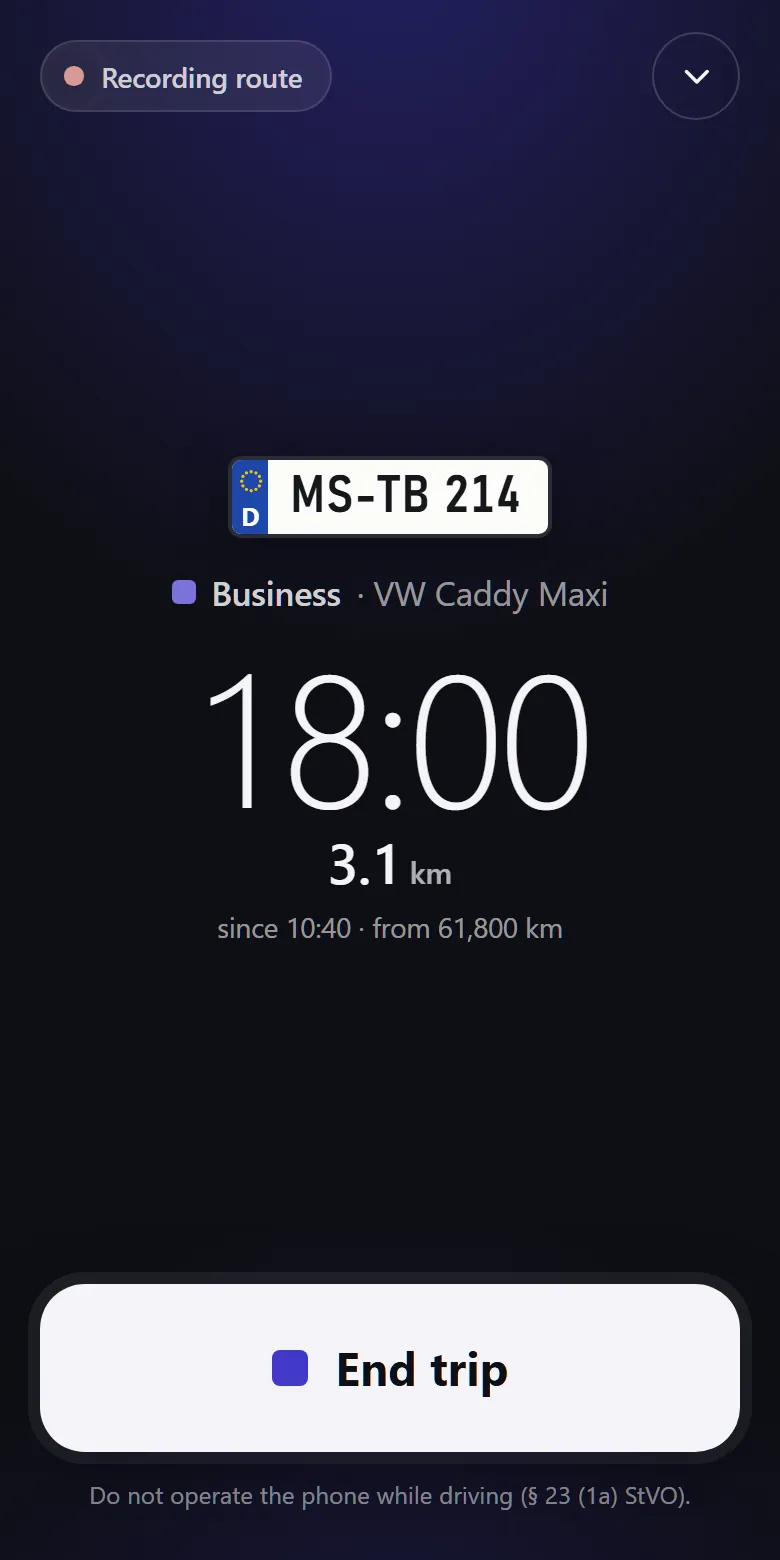
One tap starts the trip, one ends it. Vehicle and odometer are prefilled.
- Driving mode: large button, screen stays on
- Mixed trip: switch type on the way, split at the odometer
- Add trips later without the phone
Vehicle logbook module
One tap starts the trip, vehicle and odometer already filled in. Add the purpose later; the yearly logbook per vehicle is built to the requirements for electronic logbooks.
“Do I have to write everything down now?”
No. Destination and purpose can wait until after the trip, by default for seven days.
“Who takes the van tomorrow?”
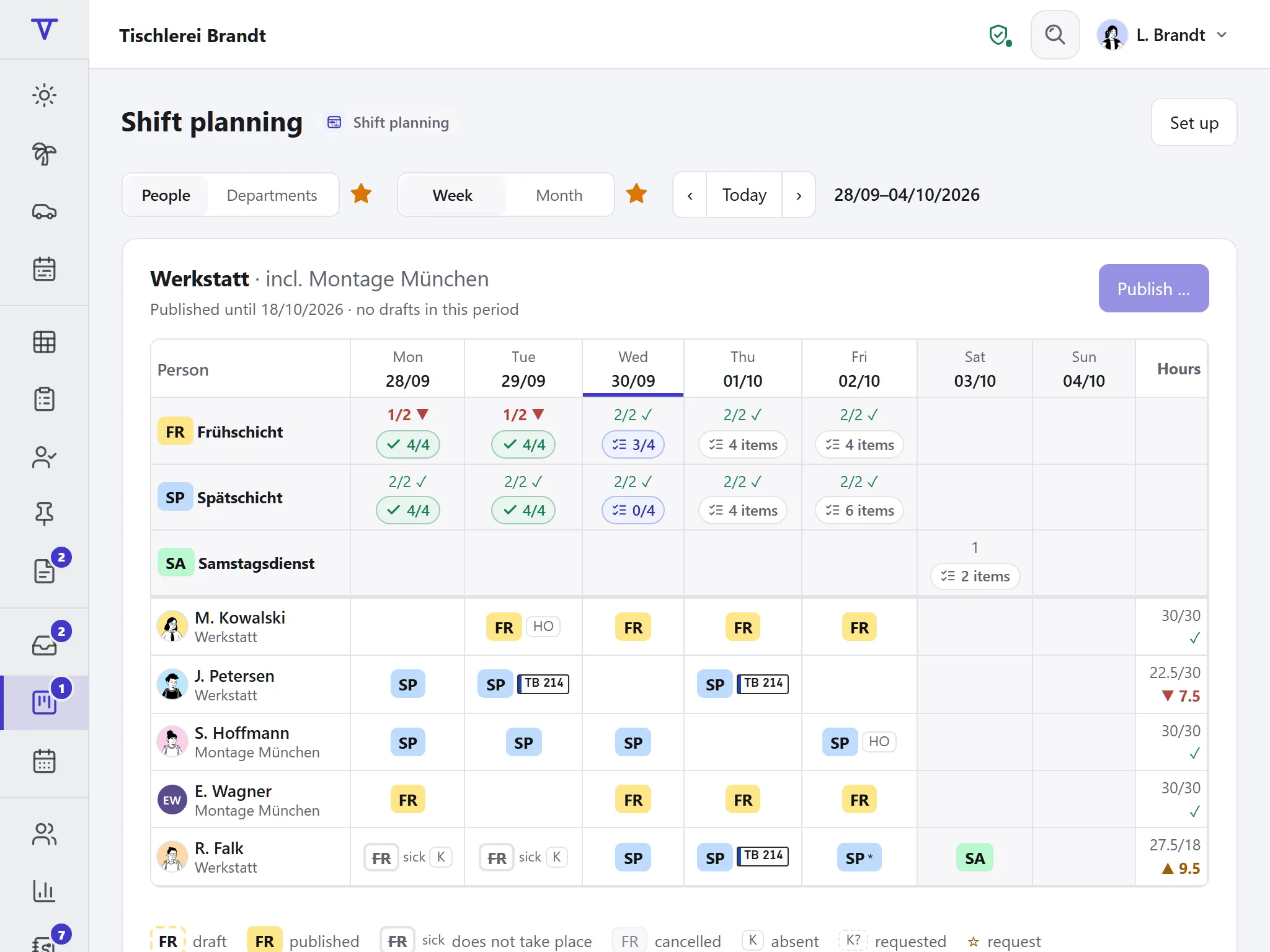
In the roster, each shift gets a pool vehicle. If it is booked twice, Tiveo warns you.
“Is our logbook complete?”
The check shows odometer gaps, missing details and missing driving licence checks.
The vehicle from your shift is preselected, the odometer taken from the last stop. You choose: business, private or commute.
After the stop, add destination, purpose and business partner. A nearby place from the address book is suggested.
After the deadline, seven days by default, Tiveo closes the trip. Anything missing stays marked; after that, changes need a reason.
The logbook fills up as you drive; details come after the stop.
One tap starts the trip, one ends it. Vehicle and odometer are prefilled.
Add destination, purpose and partner after the stop. “To complete” lists what is missing. The deadline is seven days by default.
One logbook per vehicle and year, to print or save as PDF, private trips with kilometres only. Changed trips show their history right in the logbook.
Snap fuel and charging receipts, add servicing and leasing: Tiveo works out the cost per kilometre.
Each vehicle with plate, drivers over time and inspection dates.
Switched on, the app records the route of business trips as evidence next to the odometer. Off by default.
With time recording Starting a trip can clock you in, but never on private trips or the commute.
With shift planning The pool vehicle of your shift is preselected when you start a trip.
With qualifications Driving licence checks with a deadline: if one is missing, starting a trip warns or blocks.
With DATEV and the API Mileage allowance goes into the DATEV export (beta), trips into the API (beta), routes never.
Driving mode shows plate, time and odometer and keeps the screen on. Once stopped, one tap ends the trip.
When a logbook counts, and what else applies to company vehicles in Germany.
Instead of the 1% rule, private use can be valued at the actual costs if a proper logbook records the trips.
§ 6 Abs. 1 Nr. 4 and § 8 Abs. 2 Satz 4 EStG
In Tiveo: One logbook per vehicle; the comparison of the 1% rule and the logbook is a guide and not tax advice.
The logbook must be kept promptly and in a closed form. For each business trip it records the date, odometer at start and end, destination, purpose and the business partner visited; for private trips and the commute, the kilometres are enough.
R 8.1 Abs. 9 Nr. 2 LStR on § 8 Abs. 2 EStG
In Tiveo: Tiveo asks for these details on each trip, and only for the kilometres on private trips and the commute. After the deadline, seven days by default, a trip is closed.
A record must not be changed in a way that makes its original content impossible to establish.
In Tiveo: Trips are never overwritten: every change is a new version, and the yearly logbook shows the history with its reason.
A keeper who orders or allows someone without a driving licence to drive is also liable to prosecution.
In Tiveo: The driving licence check is a record with a deadline; starting a trip warns or blocks if it is missing.
Technical systems that can monitor behaviour or performance are subject to co-determination by the works council.
In Tiveo: The route is a switch of its own, off by default, never on private trips and without live tracking.
As of 30.10.2026. These sentences summarise the legal position and are not legal advice. Collective agreements and works agreements may provide otherwise.
The vehicle logbook costs nothing extra: it comes as a beta with every paid plan, from Team. Beta means a voluntary extra that we develop with the first companies and may change or discontinue (terms § 4(8)).
| Plan | Free | Team | Business | Company |
|---|---|---|---|---|
| Employees | up to 5 | up to 15 | up to 50 | up to 100 |
| Price per month | €0 | €19 | €59 | €119 |
| Vehicle logbook | Beta | Beta | Beta |
The tax office assesses every logbook individually. Tiveo is built to the requirements for electronic logbooks: details per trip, an unbroken odometer chain, changes only as a new version and visible in the logbook. Keeping it complete and up to date is your part; the check shows what is missing.
Only if your business switches the route on; it is off by default. When it is on, the app records business trips only, never private trips or the commute, and there is no live tracking. Only the driver, owners, administrators and company-wide HR see the route, never managers. Maps come from our own server with no third party, and routes are deleted after three months by default.
The date and the kilometres. Tiveo does not ask for destination, purpose or partner on private trips and the commute; a logbook does not need them. If you carry on privately, you switch the type and Tiveo splits the trip at the odometer.
The list “to complete” shows every open trip with its deadline, and if you wish an email arrives two days before. After the deadline, Tiveo closes the trip and marks what is missing. Trips can be added later at any time; they then carry the mark N.
Yes, as a private car with mileage allowance. Only business trips count there; private kilometres are none of the company’s business. HR approves each month (€0.30 per km preset), and it then goes into the DATEV export (beta).
The demo shows a joinery with a pool van, an electric company car and a private car with mileage allowance, plus a recorded route. No sign-up needed.