Industries Hospitality
Shift planning for hospitality: sign up, swap, track time
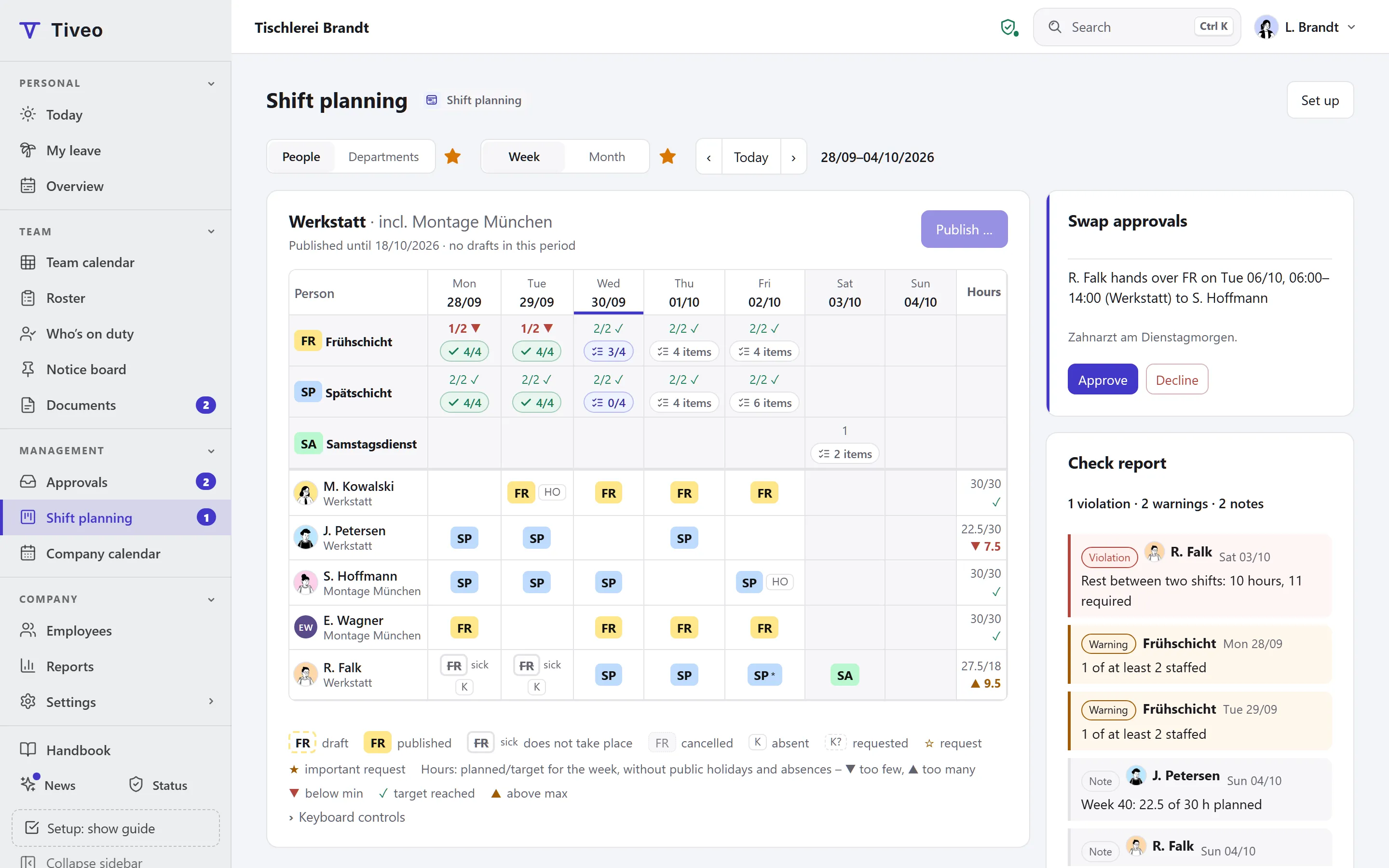
In a kitchen with lots of casual staff, people sign up when they’re free. Tiveo shows the free slots up to the maximum demand, and whoever signs up in the published roster has the shift. Everyone clocks in on their phone, within the deadline § 17 MiLoG sets for hospitality.
- Free slots up to the maximum demand
- Swaps without approval, except shortly before the start
- Late entries within 7 days, as in § 17 MiLoG
Recommended planning method
Self-scheduling
Employees sign up for free slots up to the maximum demand; swaps need no approval.
In hospitality many people work part-time, in mini-jobs or as casual staff, and no two weeks look the same. You set the demand, and staff sign up for free slots until the maximum is reached. Once the roster is published, a sign-up counts straight away; before that it is a reservation the manager decides on. People can withdraw up to 48 hours beforehand.
- Requests off
- Self-scheduling on
- Open shifts on
- Fixed cycle off
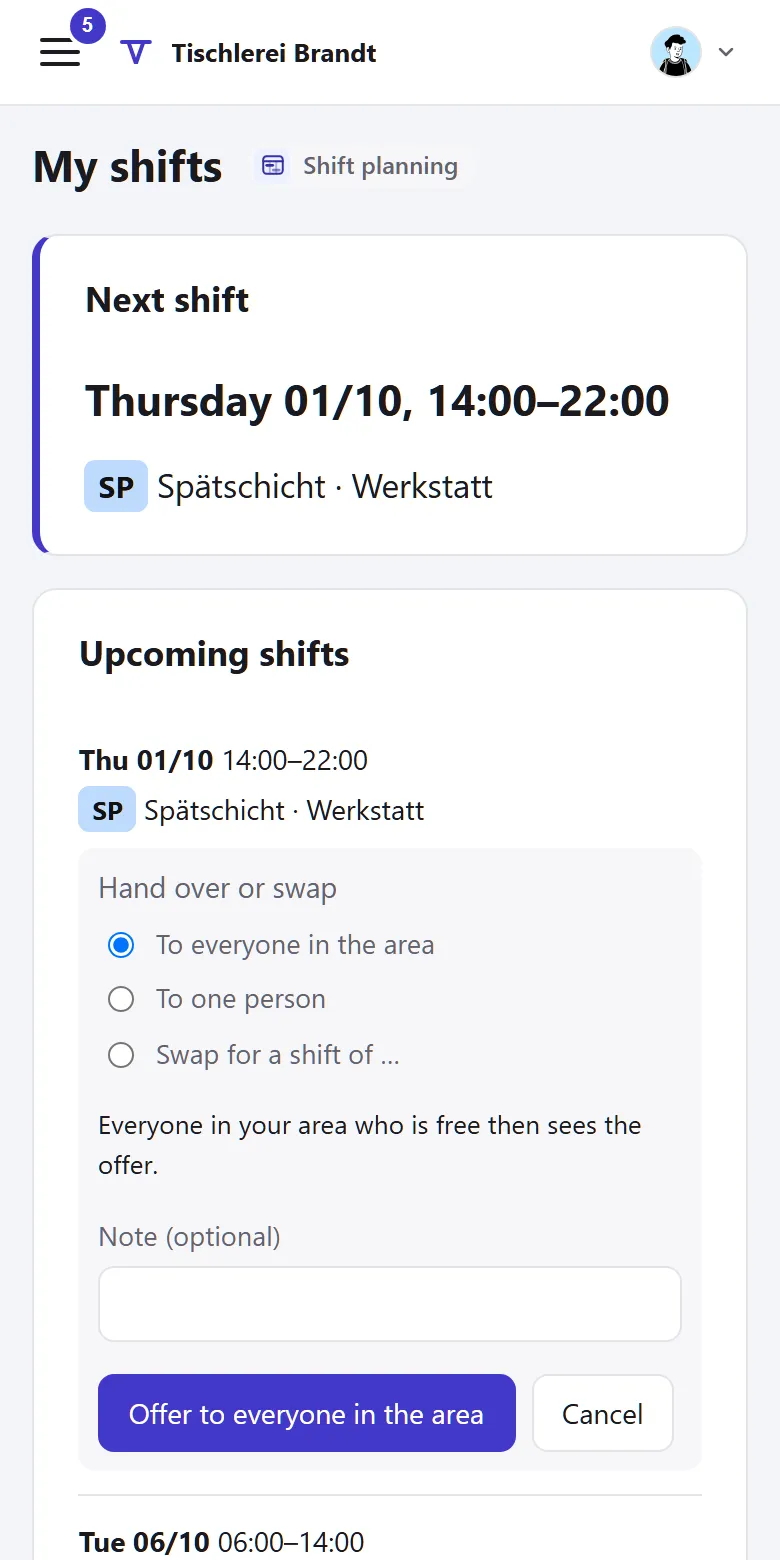
- Swaps without approval
The shift model of the template
Lunch and evening as separate shifts, the evening on public holidays too. Both are short enough that no break is required.
| Shift | Time | Break | Work | Demand (min · target · max) |
|---|---|---|---|---|
| Lunch shift | 10:30am–3:30pm | none | 5 h | Mon–Sun: 2 · 3 · 4 |
| Evening shift | 5pm–11pm | none | 6 h | Mon–Public holiday: 3 · 4 · 5 |
Min: below this the shift is understaffed. Target: the goal. Max: the limit up to which employees can sign up themselves.
You’ll find this template in Tiveo under Settings › Shift planning. It first shows what it would create: typical shift types, suggested demand, the building blocks of the planning method and, for a fixed cycle, an example pattern. It only adds what’s missing, and every setting can be changed later.
What applies in this industry
Hospitality has an extended record-keeping duty and its own rules for young people.
What applies, where it is written and what Tiveo does with it
-
In the restaurant and accommodation trade, the start, end and duration of daily working time must be recorded by the end of the seventh day after the work and kept for at least two years.
§ 17(1) MiLoG, § 2a SchwarzArbG
In Tiveo: The late-entry window in Tiveo is seven days by default; later corrections need a manager or HR and a reason.
-
Young people may only work between 6am and 8pm; those over 16 in restaurants until 10pm.
In Tiveo: If the protective attribute is set for the person, the roster check reports duties after 8pm. You check the exception until 10pm yourself.
-
In restaurants and other catering and accommodation businesses, the rest period may be up to one hour shorter if it is made up to twelve hours.
In Tiveo: You set the shorter value with this legal basis. Tiveo does not check the compensation.
-
After more than six hours of work, a break of at least 30 minutes is required.
In Tiveo: The template’s shifts last five and six hours. Whoever stays longer sees the note “break too short” for that day.
As of 26 September 2026. These sentences summarise the legal position and are not legal advice. Collective agreements and works agreements may provide otherwise.
What you will find in Tiveo
Absences
- Leave requests from the phone, approved by the manager
- Sick leave: the shift is cancelled and can be offered
Time recording
- Clock in on the phone or at the terminal behind the bar
- Records within seven days, as § 17 MiLoG requires
- Night, Sunday and public holiday hours in the payroll export
Shift planning
- Self-scheduling up to the maximum demand
- Withdraw up to 48 hours before, swap without approval
- Checklists for opening and closing, with a photo
Qualifications
- Food hygiene instruction under § 43 IfSG every two years, for everyone
- Yearly hygiene training
- Confirmed in the app or on paper, also without an account
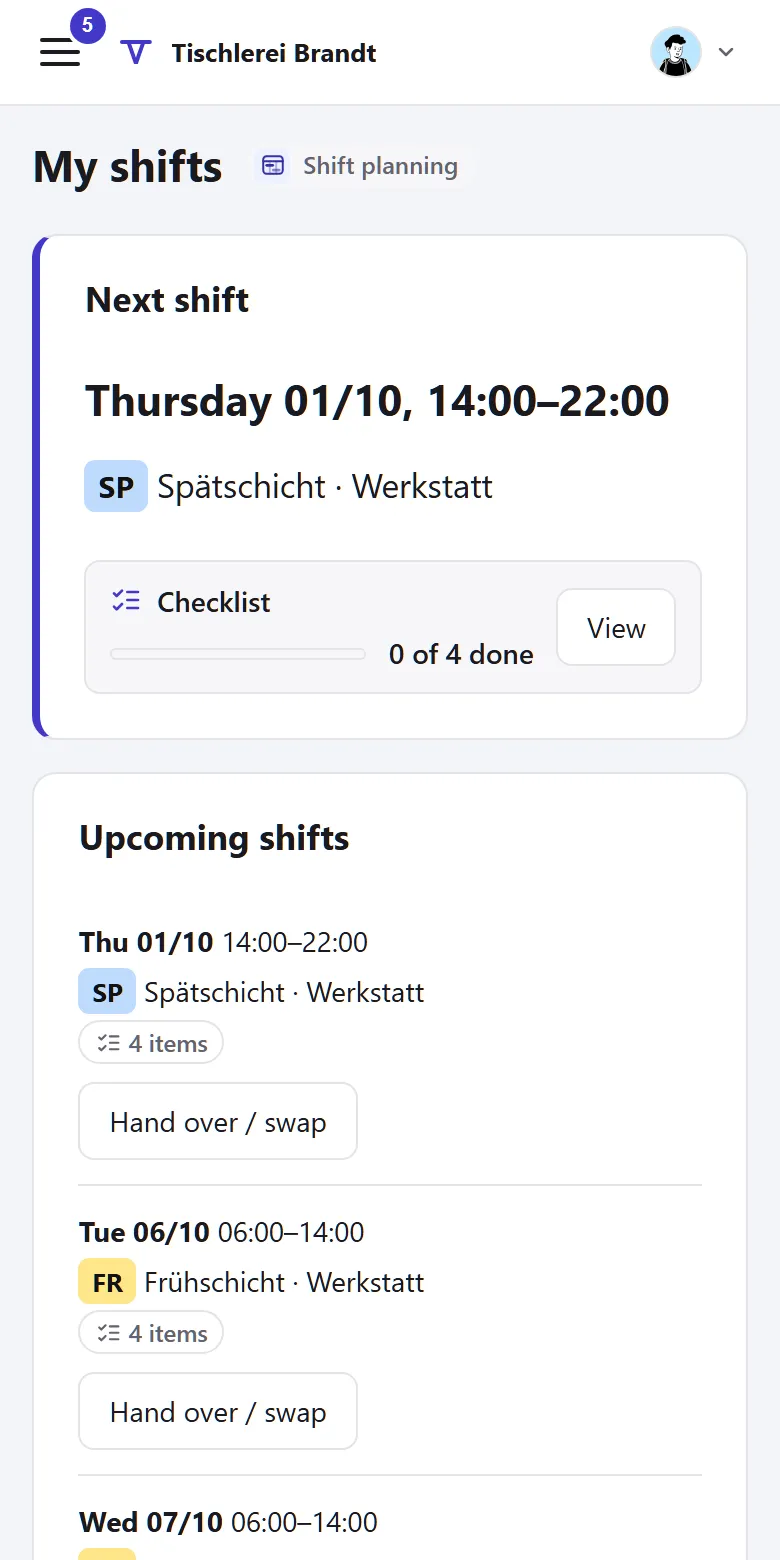
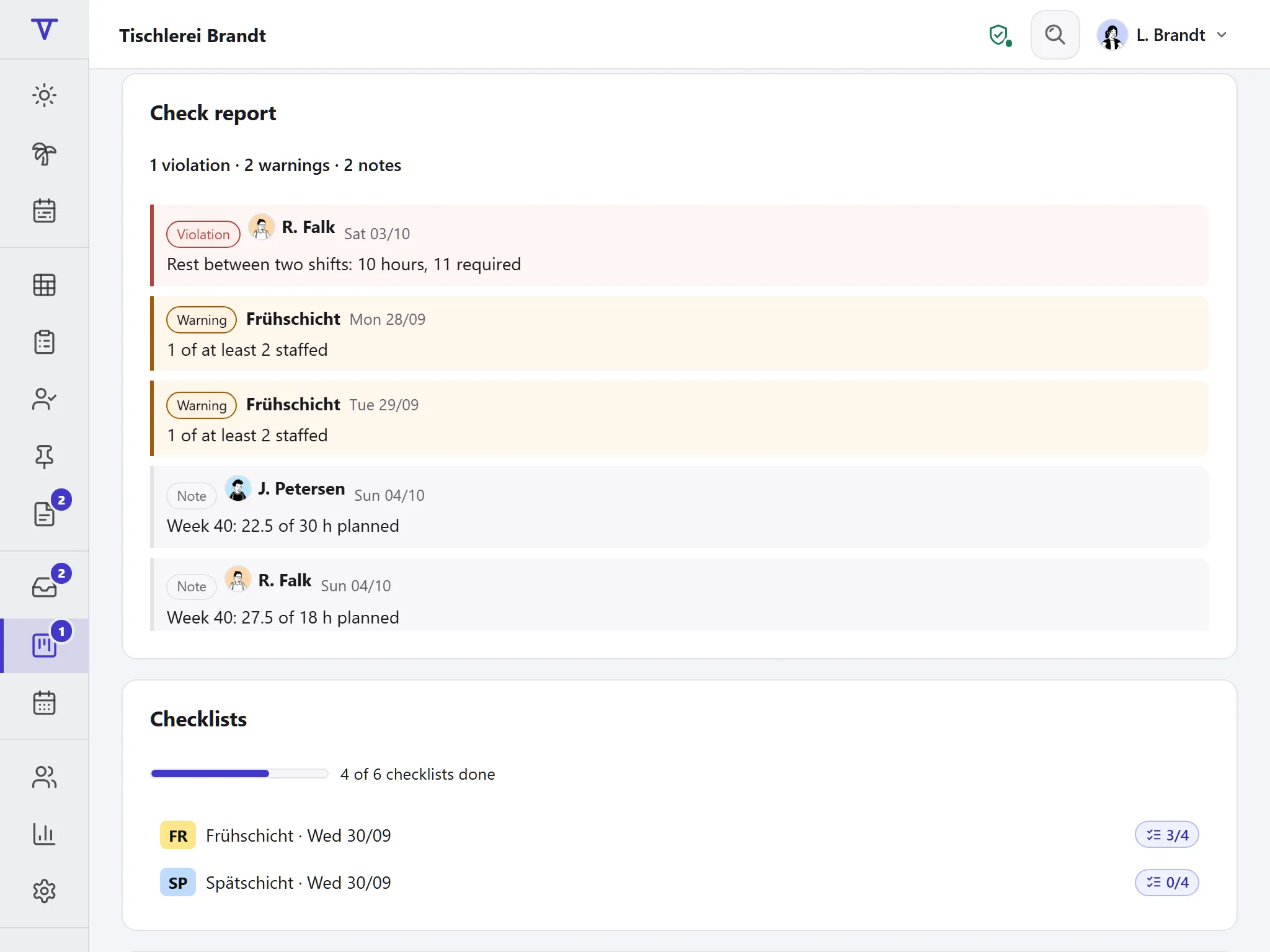
Planning needs a big screen
“My shifts”, swaps and open shifts fit on a phone, though.
Can two people take the last slot at the same time?
No. Whoever signs up first gets the slot; whoever comes next is told the shift is full.
Does casual staff’s working time have to be recorded?
Yes. § 17 MiLoG requires start, end and duration of working time within seven days after the work for mini-jobs and in hospitality, so that is Tiveo’s default late-entry window.
Do casual staff need their own account?
Anyone who signs up for shifts or clocks in on the phone needs an account. Without one, the manager assigns the person, and they clock in at the terminal.
Can I still assign shifts myself?
Yes. Planners can always assign shifts, and self-scheduling sits on top of that.
All modules from Team
Core, absences and shift planning are included in every plan, time recording, qualifications and the vehicle logbook from Team, at no extra cost. What sets the plans apart is in the price table.
| Plan | Free | Team | Business | Company |
|---|---|---|---|---|
| Employees | up to 5 | up to 15 | up to 50 | up to 100 |
| Price per month | €0 | €19 | €59 | €119 |
| All modules | ✓ | ✓ | ✓ |
See the roster
The demo shows the grid with demand and “My shifts” on the phone, no sign-up. In your own account you choose the “Hospitality” template.