Industries Trades & construction
Time tracking and planning for trades and construction
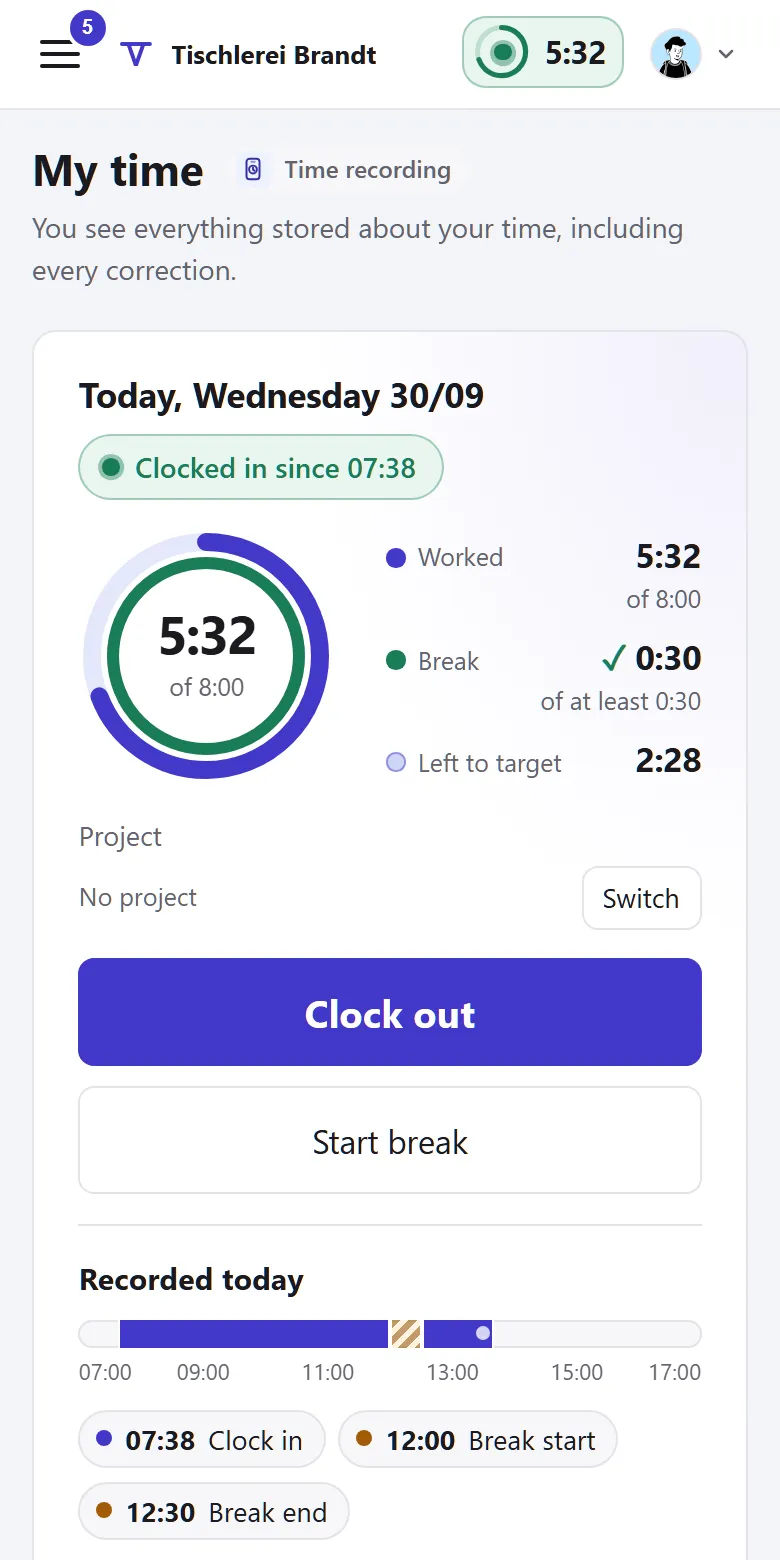
In the trades and in construction the day often starts on site. So people clock in on their phone, with no location tracking, and split their hours across jobs and sites. Tiveo keeps every correction with its reason, and leave requests show whether the site team is covered.
- Clock in on the phone, without tracking
- Hours per job and per site
- Leave per day employed, as in construction
Recommended planning method
Managers plan
Planners assign shifts; gaps go out to everyone in the area as open shifts.
In the trades and in construction the master craftsperson or site manager usually decides who is where and when. That fits “Managers plan”: the manager assigns, and gaps go out to everyone as open shifts. Many businesses don’t need shifts for this at all, as time tracking and leave are enough. Shift planning covers on-call and emergency duty over 24 hours.
- Requests off
- Self-scheduling off
- Open shifts on
- Fixed cycle off
- Swaps with approval
The shift model of the template
One day shift from 7am to 3:30pm with a 30-minute break, Monday to Friday. Demand says how many people have to be there at least.
| Shift | Time | Break | Work | Demand (min · target · max) |
|---|---|---|---|---|
| Day shift | 7am–3:30pm | 30 min | 8 h | Mon–Fri: 2 · 3 · 5 |
Min: below this the shift is understaffed. Target: the goal. Max: the limit up to which employees can sign up themselves.
You’ll find this template in Tiveo under Settings › Shift planning. It first shows what it would create: typical shift types, suggested demand, the building blocks of the planning method and, for a fixed cycle, an example pattern. It only adds what’s missing, and every setting can be changed later.
What applies in this industry
Every business has to record working time, and in construction there is a deadline too.
What applies, where it is written and what Tiveo does with it
-
Employers must introduce a system that records the start and end of daily working time, including overtime (Federal Labour Court, decision of 13 September 2022, 1 ABR 22/21).
In Tiveo: Tiveo records start, end and breaks per working day, with the history of every change.
-
In construction, the start, end and duration of daily working time must be recorded by the end of the seventh day after the work and kept for at least two years.
§ 17(1) MiLoG, § 2a SchwarzArbG
In Tiveo: The late-entry window in Tiveo is seven days by default.
-
After more than six hours of work, a break of at least 30 minutes is required.
In Tiveo: The template’s day shift has a 30-minute break; if it is too short, the day shows a note.
-
The works council has a say in how working time is recorded technically.
In Tiveo: Time recording stores neither location nor biometric features. Before you switch it on, it reminds you to adapt a works agreement based on Tiveo’s template.
As of 26 September 2026. These sentences summarise the legal position and are not legal advice. Collective agreements and works agreements may provide otherwise.
What you will find in Tiveo
Absences
- Leave with an eye on the site team
- Accrual per month or per day employed, as in construction
- Company holidays between Christmas and New Year as mandatory leave
Time recording
- Clock in on the phone on site, without tracking
- Split each day’s hours across jobs and sites
- Time account, payroll export and meal allowance per site day
Shift planning
- Day shift as a template, the manager assigns
- Emergency call-out as 24-hour on-call duty
- Who is on duty right now, visible to everyone if you wish
Qualifications
- Yearly safety briefing, confirmed in the app or on paper
- Fall protection briefing required only for the site team
- Competent person for scaffolding and first aiders in view
Vehicle logbook
- Start the trip to the site like clocking in, with the project
- A yearly logbook per vehicle for your accountant
- Snap fuel receipts, cost per km
What the office does with the entries
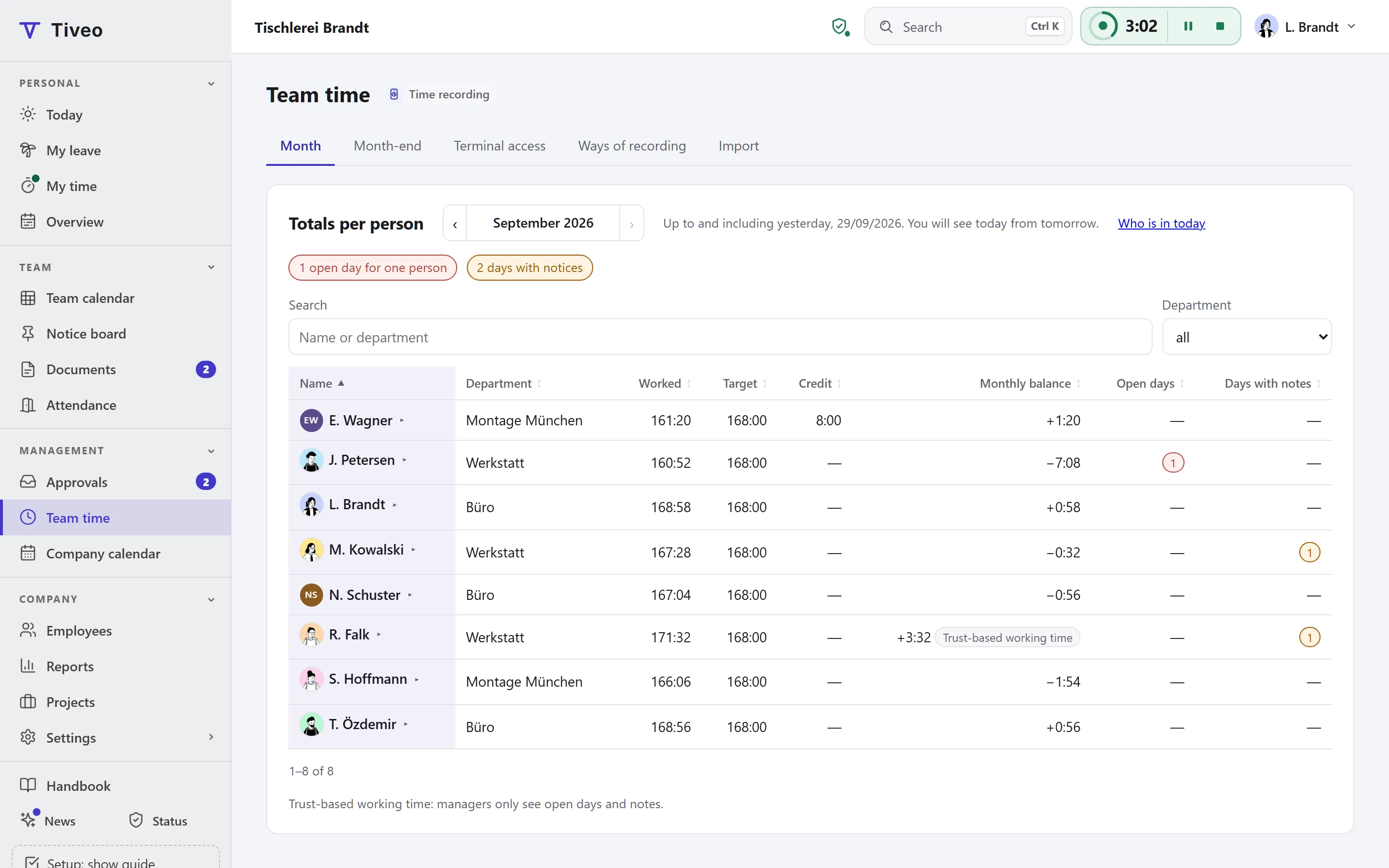
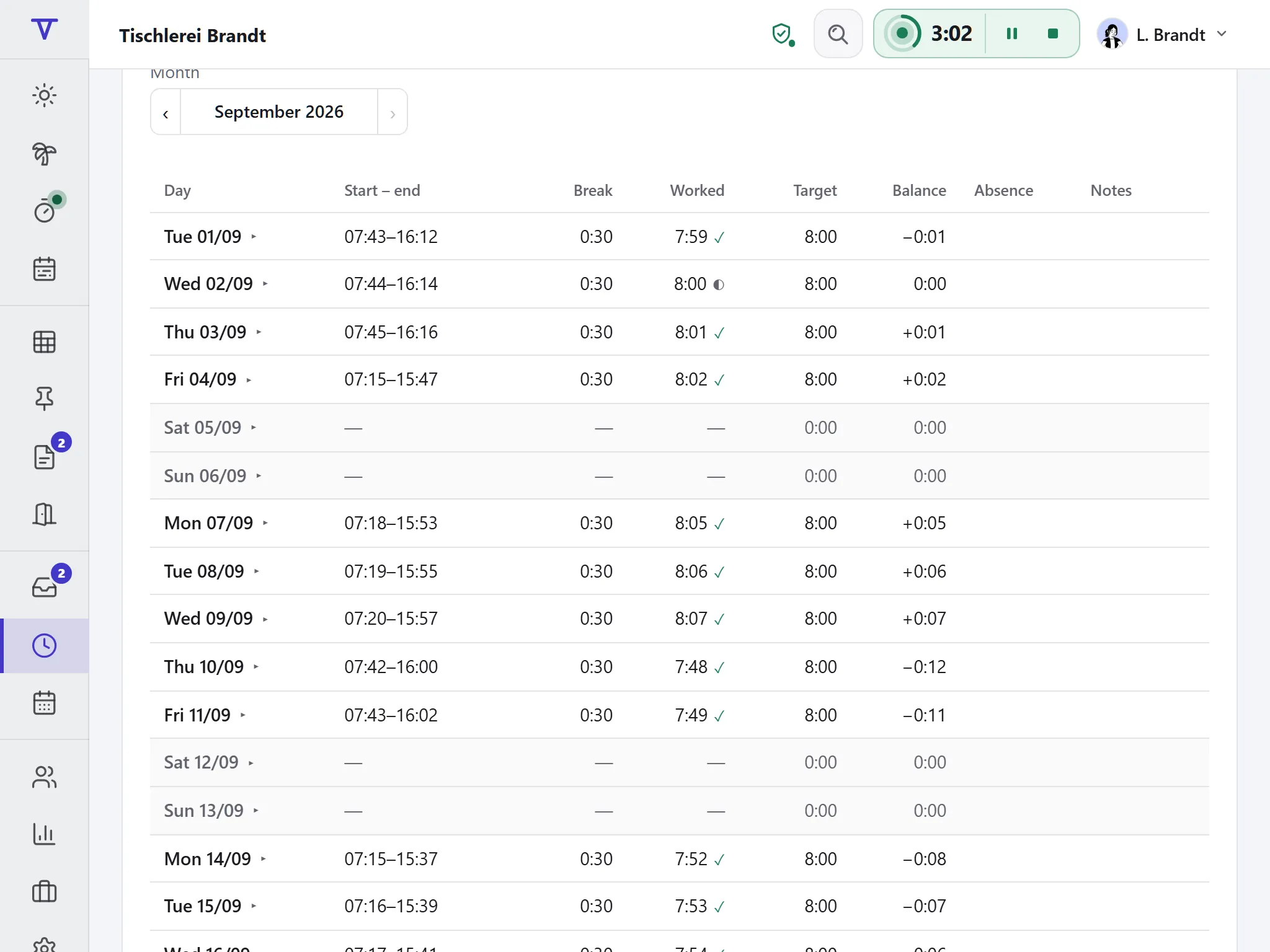
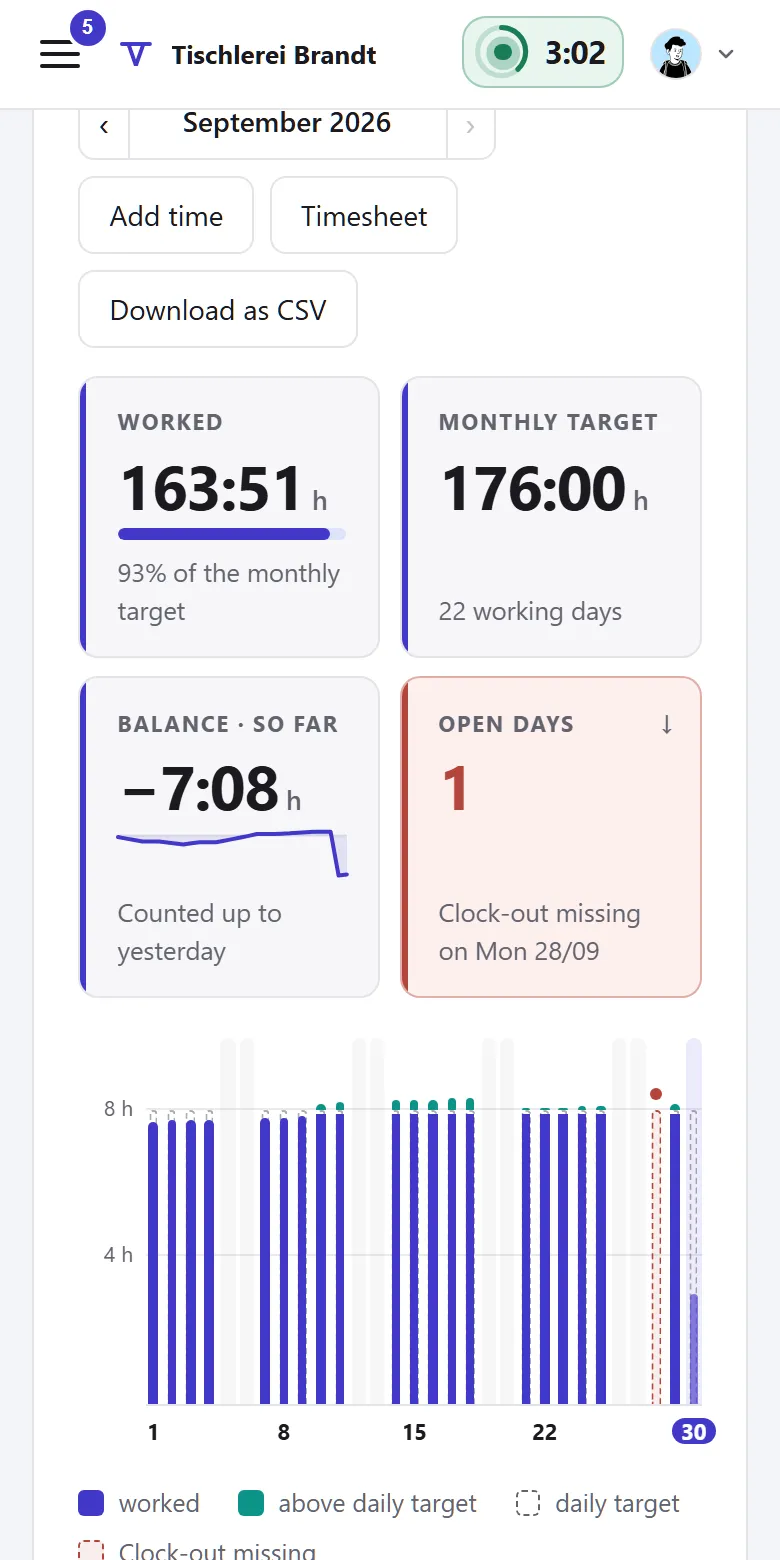
Clocking in happens on the phone; HR reads team time, time accounts and the payroll export on a big screen.
Does every trade business have to record working time?
Yes. Since the Federal Labour Court’s decision of 13 September 2022 (1 ABR 22/21), employers are obliged to record the start and end of daily working time, whatever the size of the business.
Does the business see where someone clocks in?
No. Tiveo stores no location when you clock in. If you wish, employees state by hand when clocking in whether they are working “On site” or “Remote”. If the business switches on “Clock in at the workplace only”, Tiveo checks once when clocking in whether the phone is near a workplace, such as the site. Even then the location is not stored.
What if someone on site forgets to clock in?
Within the late-entry window the person adds it themselves; after that the manager does, with a reason such as “start as per site report”. The original entry stays visible.
Can Tiveo accrue leave per day of employment, as in construction?
Yes, with the accrual model and the “per day employed” rule: with 30 days of annual leave, one day accrues for every twelve calendar days, rounded down during the year and rounded up from half a day at year end. Sick days count. HR switches it on for the business, a department or individual people.
Can we plan emergency call-out duty?
Yes, with shift planning: as on-call duty lasting 24 hours, say from 8 am to 8 am. With time recording, whoever is called out clocks the job. For payroll, Tiveo counts each person’s on-call days per month by weekday, Saturday, Sunday and public holiday, as CSV. If you wish, everyone sees under “Who’s on duty” who is on call right now, office staff and trainees included.
Can hours be booked to jobs?
Yes. Anyone visiting several customers a day splits the clocked time across projects such as jobs or sites, or enters a free text. The office sees per project who booked how much and when, and takes it into job costing as CSV.
Does Tiveo work out the meal allowance for site work?
Yes, once you switch it on in the time recording settings. Under Team time › Allowance you enter the site for each day, plus overnight stays and meals provided. How long someone was away comes from time recording. Tiveo then works out the allowance: €14 for more than eight hours and for days of arrival and departure, €28 for full days in between, minus hotel breakfast and meals provided. You can change the rates. There is a sheet per person to print, plus Excel and CSV.
All modules from Team
Core, absences and shift planning are included in every plan, time recording, qualifications and the vehicle logbook from Team, at no extra cost. What sets the plans apart is in the price table.
| Plan | Free | Team | Business | Company |
|---|---|---|---|---|
| Employees | up to 5 | up to 15 | up to 50 | up to 100 |
| Price per month | €0 | €19 | €59 | €119 |
| All modules | ✓ | ✓ | ✓ |
See the joinery in the demo
The demo shows hours, leave and roster for a joinery with workshop and site team. It needs no sign-up and saves nothing.