Skip to content
DE

Time recording module

Time recording without surveillance

Since the Federal Labour Court’s decision of 13 September 2022, employers in Germany have to record their employees’ working time. Tiveo turns that into a time clock in the browser and on the phone, a time account and a payroll export. It stores no locations or fingerprints. Only people you allow can see who is in right now.

  • Entries cannot be changed silently
  • Every correction with a name and a reason
  • Neither GPS tracking nor biometrics
7 days default window for late entries, as in § 17 MiLoG
5 premium windows under § 3b EStG in the payroll export
Included in the price from Team, at no extra cost

What each role asks

Employees

“How many hours have I done this week?”

Clock in, break, clock out with one tap. Every entry and every correction by others shows with a reason.

Managers

“Do my team’s hours add up?”

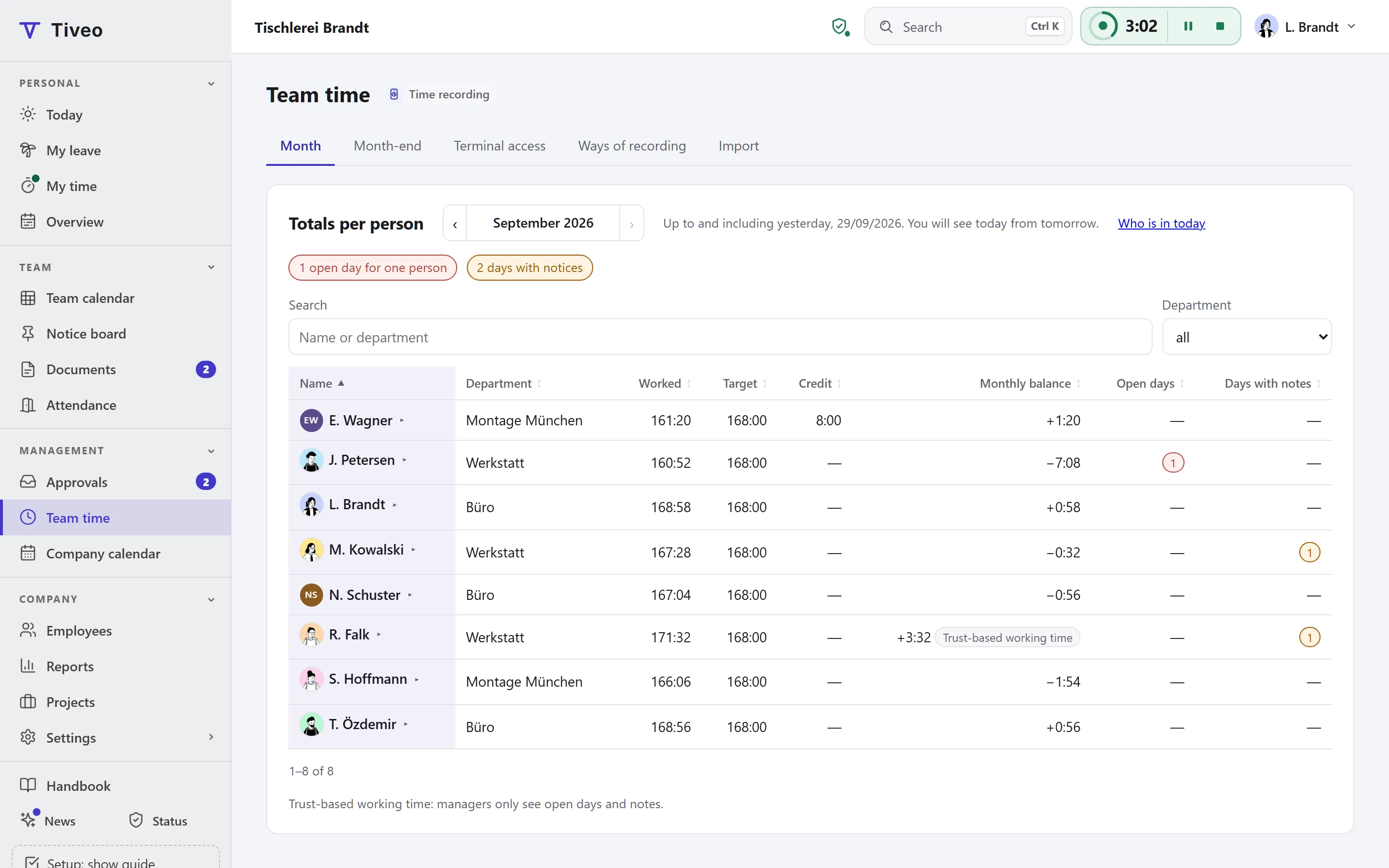
Team time shows totals per person. Who came in when is deliberately not shown as a list.

HR

“What goes to payroll?”

One month per person with target, actual, balance and premium hours, every export kept on record.

How a working day moves through time recording

  1. Clock in

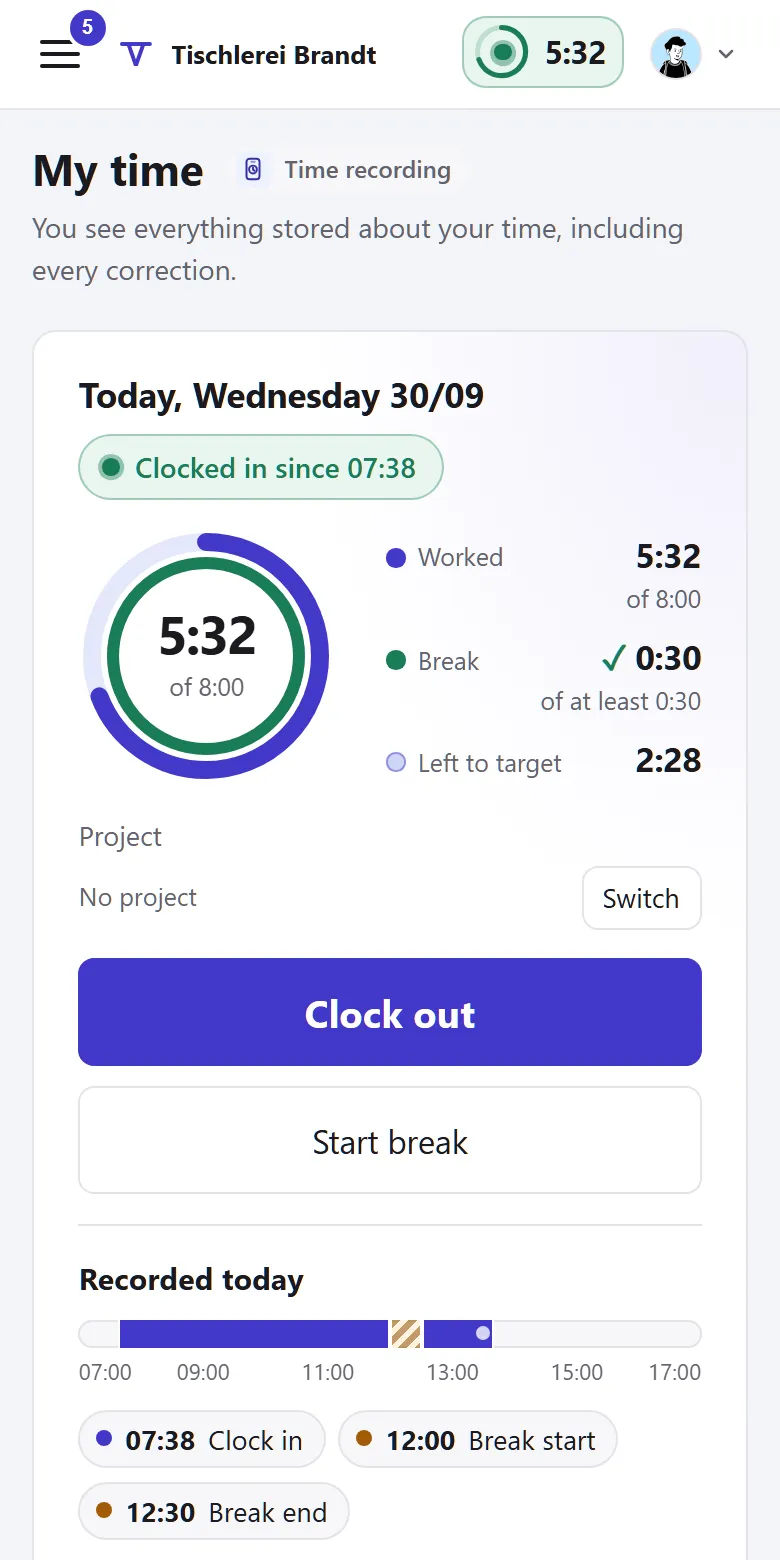
    Clock in, break, clock out in the browser, on a phone or at a terminal, with hints on breaks and rest.

  2. Add what was missed

    People add what they forgot themselves. After the window, a manager or HR corrects, with a reason.

  3. Close the month

    Checklist, timesheets, then “Close month”: the payroll export gets a fixed version.

What time recording does

Time recording covers everything from clocking in to the payroll export.

Clock in on browser, phone or terminal

Clock in, break and clock out, several times a day if needed. Anyone without a device of their own uses the tablet at the entrance with a PIN or badge.

  • Time clock in the header: clock in, break and clock out without changing pages
  • A night shift across midnight counts as one working day
  • Place of work “On site” or “Remote” if you like, entered by hand
  • If you wish, clocking in only at the terminal or the workplace; Tiveo checks the location but does not store it
  • Terminal set up with a one-time code, locked after five wrong PINs
Late entries and corrections

An entry is never overwritten. A correction adds a new one, and the old one stays visible in the history.

  • Late-entry window 0 to 31 days, default seven
  • After the window, a manager or HR corrects, only with a reason
  • Entries for people without access of their own

Time account

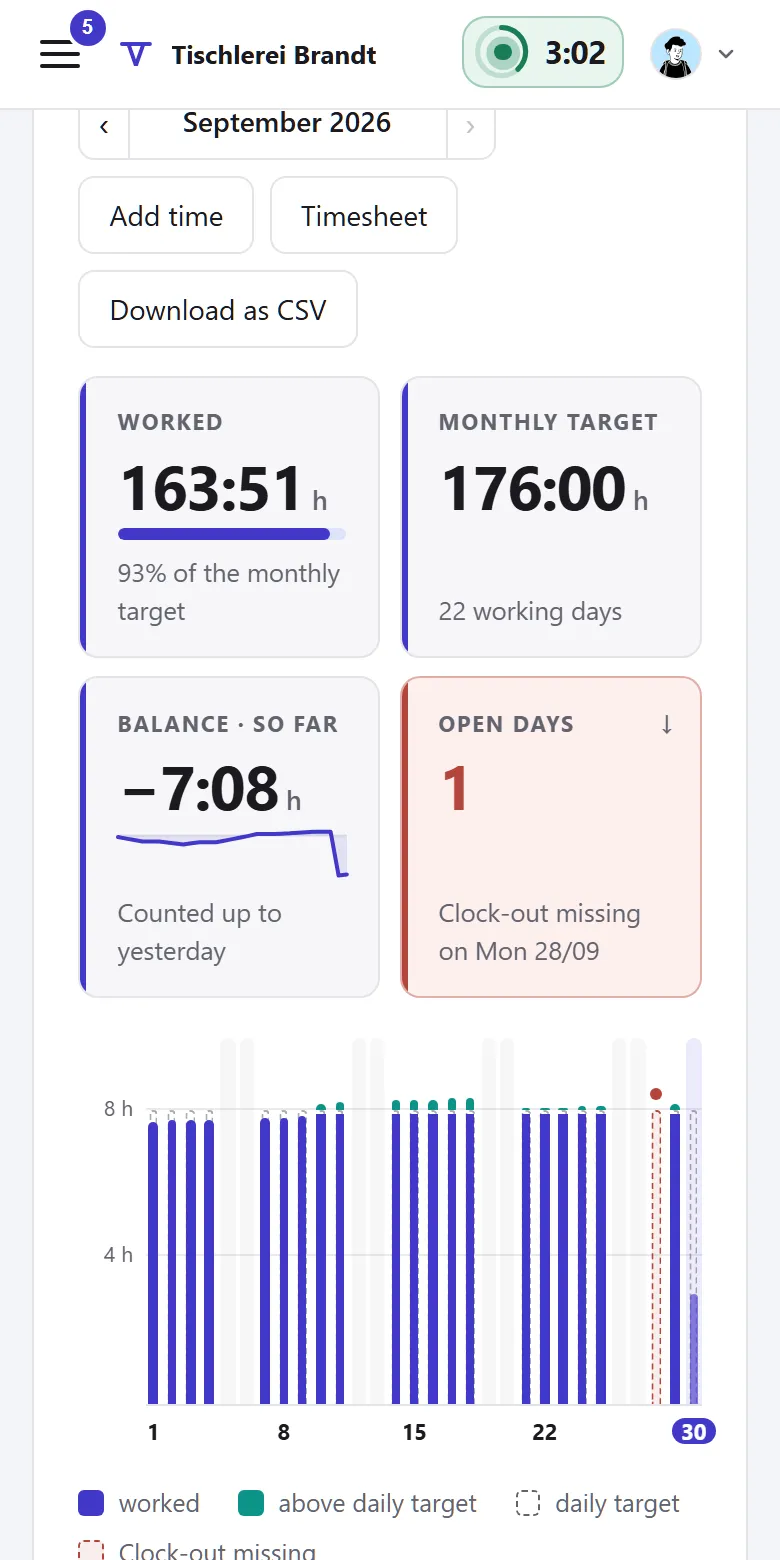
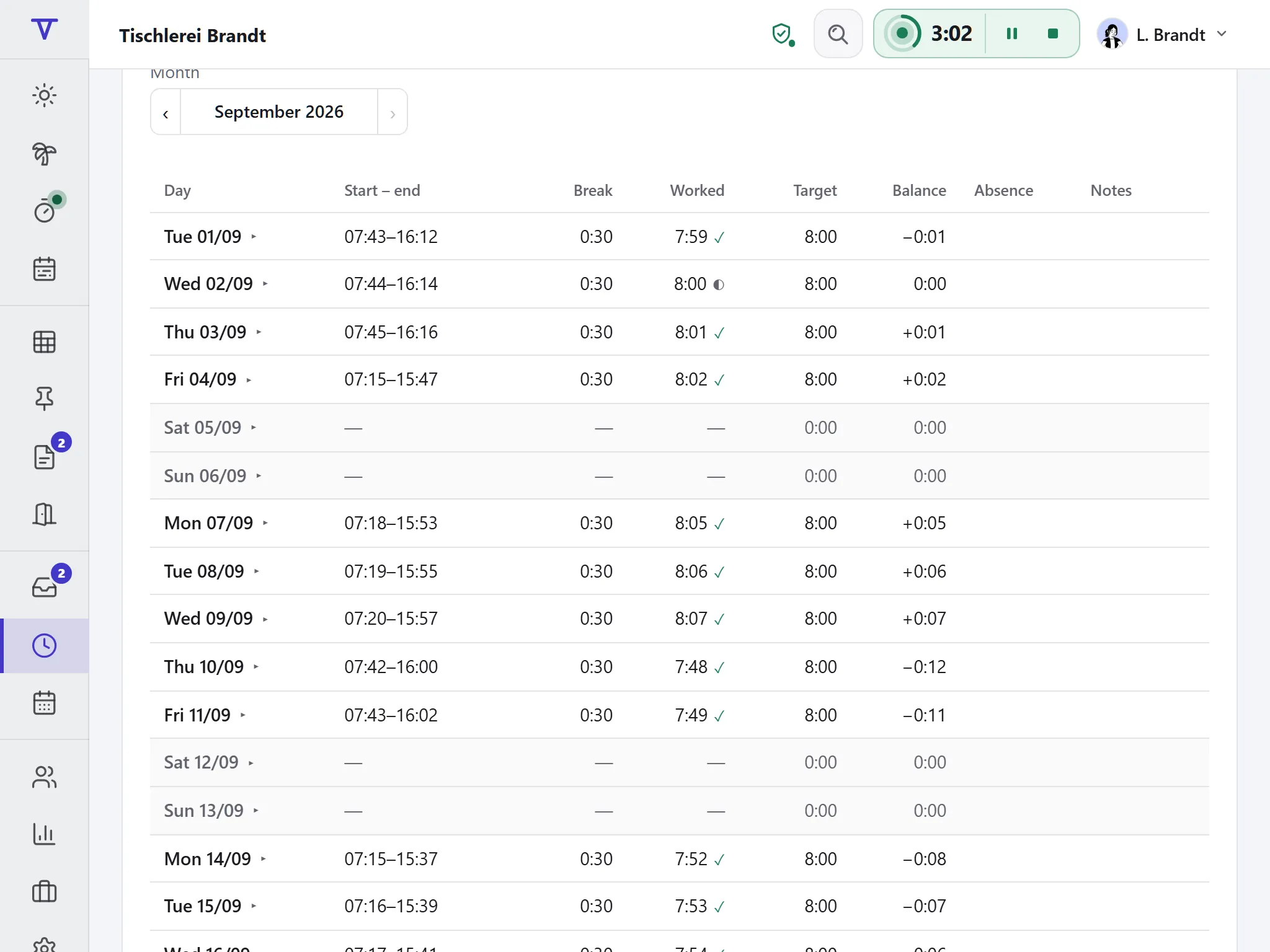
Target from weekly hours, actual from the entries, credit for leave and sick days. The balance is fixed every day.

  • Opening balance from your previous hours list
  • Corrections and payouts as separate entries with a reason
  • Your own times as CSV or as a timesheet to print

Working Time Act checks

Tiveo checks every day for breaks, maximum hours and rest periods and shows what doesn’t fit. Nothing is blocked, because the record shows what happened.

  • Breaks (§ 4), maximum hours (§ 3), rest period (§ 5 ArbZG)
  • Protection rules for young people and during maternity
  • Break deduction and time frames if you want them, off by default

Split hours across projects

Anyone visiting several customers a day splits the time across projects. The office sees per project who booked how much and when.

  • Projects with number, title and a link to your own ERP
  • Optionally pick it when clocking in and switch during the day
  • Never more than was worked
  • Hour budget per project, hours per week, everything as CSV

Month-end and payroll export

Under Team time › Month-end: check, print the timesheets, close the month. That keeps a version of the payroll export, with date, name and premium hours.

  • Checklist: days without clock-out, pending requests, missing personnel numbers
  • Lock if you want: afterwards only HR corrects, as an addendum
  • Monthly confirmation if you want: employees confirm, the manager countersigns
  • A separate file for DATEV LODAS or Lohn und Gehalt, as a beta in the paid plans

DATEV and other integrations →

How time recording works with the other modules

  • With absences Leave, sick days and training count as worked, so the target is met on those days.

  • With shift planning Roster and time recording check rest periods and maximum hours with the same values.

  • From the core Weekly hours come from the working-time model, the scope from the structure.

The law of time recording

Why time has to be recorded, what the record contains and who has a say.

What applies, where it is written and what Tiveo does with it
  1. Employers must introduce a system that records the start and end of daily working time including overtime (Federal Labour Court, decision of 13 September 2022, 1 ABR 22/21).

    § 3(2) no. 1 ArbSchG

    In Tiveo: Tiveo records start, end and breaks per working day, electronically and with the history of every change.

  2. Working time beyond eight hours a working day must be recorded, and the records kept for at least two years.

    § 16(2) ArbZG

    In Tiveo: Tiveo deletes no entry by itself. Even after the module is switched off, they stay readable.

  3. For marginal employment and for the sectors listed in § 2a SchwarzArbG (such as construction, hospitality, logistics, building cleaning and security), start, end and duration must be recorded by the end of the seventh day after the work.

    § 17(1) MiLoG

    In Tiveo: That is why the default late-entry window in Tiveo is seven days.

  4. After more than six hours of work at least 30 minutes of break are required, after more than nine hours 45 minutes.

    § 4 ArbZG

    In Tiveo: A break that is too short shows as a note on the day; the person sees it too.

  5. There are at least eleven hours of uninterrupted rest between two working days.

    § 5(1) ArbZG

    In Tiveo: Anyone arriving before the rest period is over gets a note, but the entry is still recorded.

  6. The works council has a say in how working time is recorded technically.

    § 87(1) no. 6 BetrVG

    In Tiveo: Before switching on, Tiveo reminds you: the template works agreement for absences rules out recording the start and end of working time and must be adapted first.

As of 26 September 2026. These sentences summarise the legal position and are not legal advice. Collective agreements and works agreements may provide otherwise.

Included in the price

Time recording costs nothing extra: it is included in every paid plan, from Team. What sets the plans apart is in the price table.

All plans and features compared →

Plan FreeTeamBusinessCompany
Employees up to 5up to 15up to 50up to 100
Price per month €0€19€59€119
Time recording ✓ ✓ ✓

Common questions

If your question isn’t here, ask the developers directly.

Ask a question
Do we have to record working time at all?

Yes. Following the Federal Labour Court’s decision of 13 September 2022 (1 ABR 22/21), employers in Germany are obliged to record the start and end of daily working time. The recording may be delegated to employees, as with clocking in in Tiveo.

Can employees change their time afterwards?

Within the late-entry window they add what they forgot and correct their own entries; the default is seven days, adjustable from 0 to 31. After that, a manager or HR corrects, always with a reason. Nothing is deleted: the original entry stays in the history. Once a closed month is locked, only HR corrects it, as an addendum in the next version of the payroll export. Reopening takes a reason. If you want, employees confirm their past month and a manager or HR countersigns; later changes then show. It is off by default.

Does my manager see when I arrive and leave?

Team time shows totals per person and month. A manager sees a person’s individual times when opening them, to add something for instance. There is no list of who is in right now, and under trust-based working time the manager sees no times.

What applies to marginal employment (minijobs)?

§ 17 MiLoG requires start, end and duration for minijobs by the seventh day after the work. The late-entry window is set to those seven days by default. Breaks are not deducted as a flat rate by default, because the actual duration counts.

Does time recording cost extra?

No, it is included in every paid plan, from Team. The free plan does not include it.

Clock in yourself

The demo opens on a joinery’s time recording: time card, month, team time and month-end, with no sign-up and nothing saved.