Flyer
Two pages on features, prices and getting started, with a space for your name.
For associations, trade fairs and other businesses · 2 pages · As of November 2026
A4. Choose “Actual size” when printing, sheets with several pages double-sided.
Leave, working hours and rosters in one app
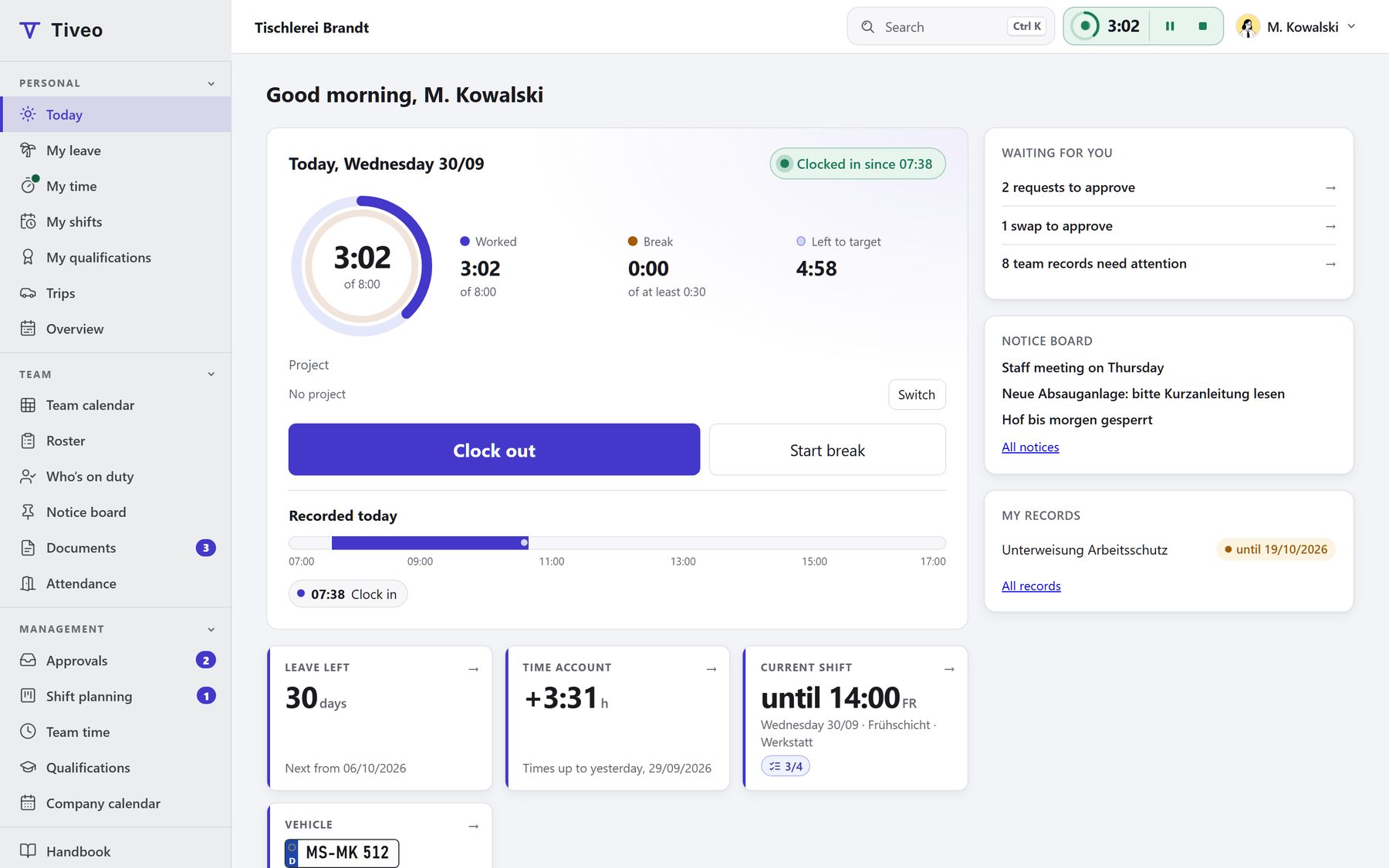
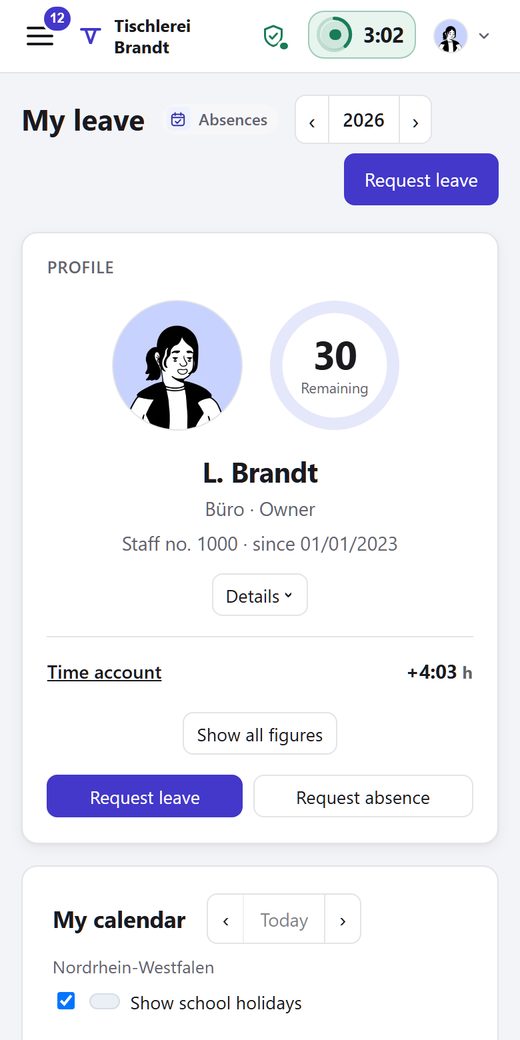
Staff request leave and clock in on their phones, and you just approve. Tiveo works out holidays, part-time and remaining leave.
What Tiveo does
Core features
What every company needs: people with and without accounts, structure and roles, public holidays, notice board, documents, data protection and export.
Absences
Request and approve leave, calculate remaining leave and part-time, with sick leave and every other absence in one calendar.
Time recording
Record working time in the browser, on the phone or at a terminal, with a time account, Working Time Act checks, a payroll export and project hours if you wish.
Shift planning
Rosters with demand, a check before publishing, open shifts, swaps and checklists, linked to leave and hours.
Qualifications
Safety briefings, first aiders and training points: who has what, and what runs out soon.
Vehicle logbook
In beta: start trips the way you clock in, with an unbroken odometer chain and every change visible, plus costs and mileage allowance.
For everyone at work
Employees
Request leave, clock in, see and swap shifts, on the phone or at the computer.
Managers
Before approving a request, they can check the team calendar for who else is off.
HR
Tiveo works out remaining leave, hour balances and the payroll export. Every change is logged.
How to get started
- Create an accountIt’s free and needs no payment details. Sample data is optional.
- Add your peopleType the names, paste a list or upload the Excel leave planner’s workbook.
- Choose rules and modulesDecide once who approves and which holidays apply.
- Invite your teamBy email or join link. Planning works without accounts, too.
Prices
| Plan | Free | Team | Business | Company |
|---|---|---|---|---|
| Employees | up to 5 | up to 15 | up to 50 | up to 100 |
| Price per month | €0 | €19 | €59 | €119 |
Absences and shift planning come with every plan, the other modules from Team. You pay by headcount, and up to 5 it's free. Net price, cancellable at the end of any paid month.
Try it free for a month
Data protection
Template works agreement · Privacy notice for the vehicle logbook · Data processing agreement · Technical and organisational measures · Deletion policy: tiveo.de/en/sicherheit
Try it
See the demo
No sign-up, with sample data
app.tiveo.de/demo
Start for free
No payment details
app.tiveo.de/registrieren