Handout for employees
How employees get in, what they do there and what happens to their data.
For businesses introducing Tiveo · 1 page · As of November 2026
A4. Choose “Actual size” when printing, sheets with several pages double-sided.
Leave, hours and shifts now in Tiveo
Your employer uses Tiveo. This sheet shows how you get in, what you do there and what happens to your data.
How you get in
- Your employer sends you an invitation by email or gives you a join link.
- Open the link and set up your account with your email and a password.
- Then sign in in the browser or put Tiveo on your phone as an app.
On your phone as an app
Scan, then follow the steps for your device, without an app store.
app.tiveo.de/app
What you do in Tiveo
Core features
“Where do I see what concerns me?”
One sign-in shows your own leave, hours and shifts, at the desk or on your phone.
Absences
“How many days do I have left?”
The request takes two clicks and shows your remaining days, who approves and who else is off.
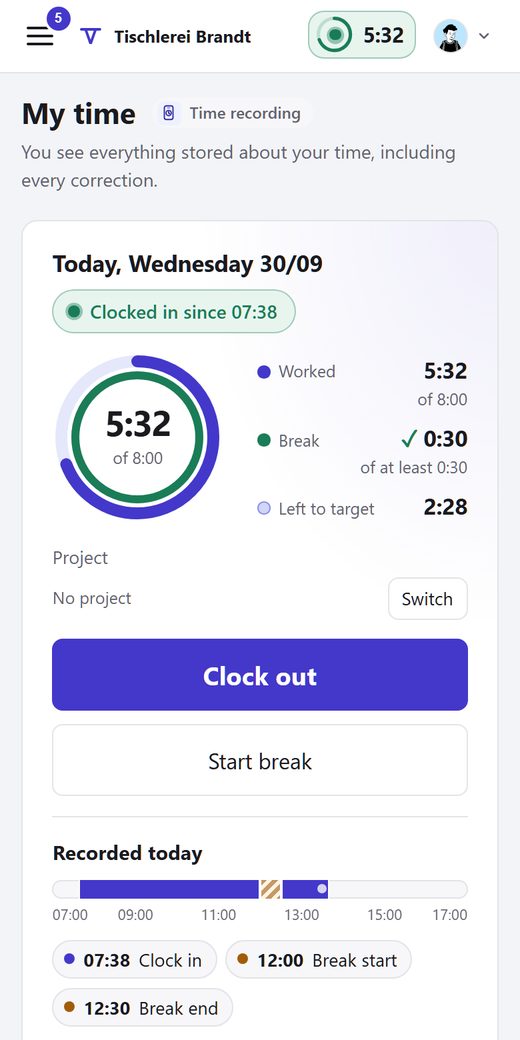
Time recording
“How many hours have I done this week?”
Clock in, break, clock out with one tap. Every entry and every correction by others shows with a reason.
Shift planning
“When am I working next week?”
“My shifts” shows the coming weeks. Swapping, giving away and entering wishes works from the phone.
Qualifications
“What do I have to prove, and by when?”
“My qualifications” shows your own status. You confirm briefings there and add training yourself.
Vehicle logbook
“Do I have to write everything down now?”
No. Destination and purpose can wait until after the trip, by default for seven days.
You only see what your employer has switched on.
Your data
- Hosted in Germany: Servers in Nuremberg and Munich
- Time recording: Entries cannot be changed silently
- Time recording: Every correction with a name and a reason
- Time recording: Neither GPS tracking nor biometrics
- Vehicle logbook: Route only if you want it, never on private trips
- When you’re off sick, colleagues only see “absent” by default, without the reason.
- Who is clocked in right now is only visible to those your employer allows.
In your language
Switch in the account menu under “Language”: German, English, Dutch, French, Polish, Romanian, Russian, Spanish, Turkish, and Ukrainian.
Questions?
Who leads what and which rules apply at your company is in Tiveo under “Handbook”. Anything else, ask your contact person at work.